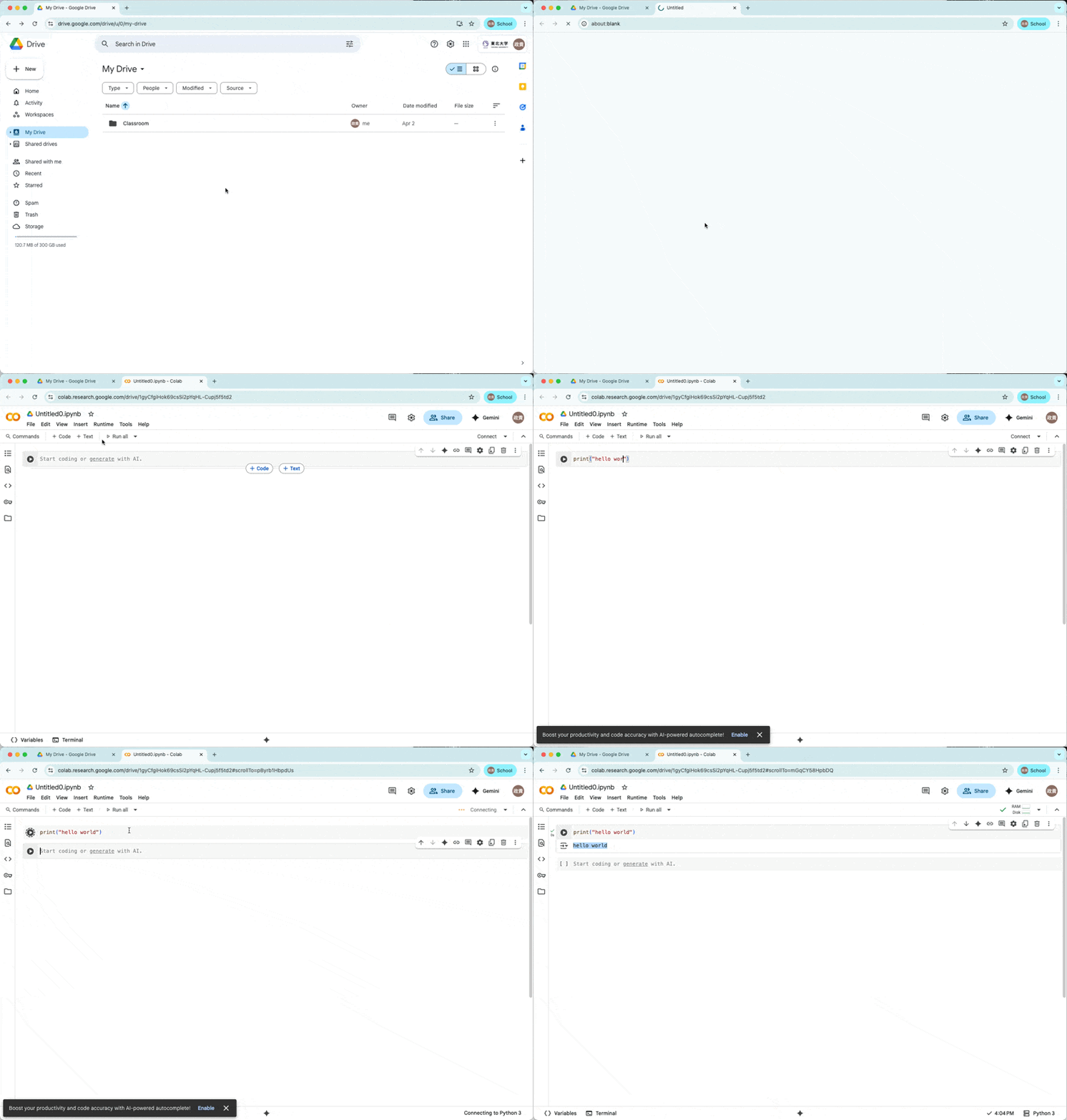
Python (Colaboratory) Setup Guide
Using Google Colab for Text Analysis
Overview
In this 5-day intensive course, we will use Python through Google colaboratory, browser based environment that requires no installation on your local computer.
You can follow the step here to enable Colaboratory through your gmail account.
The following steps should be completed before we start grammar analysis on Day 4.
Log in to your google account.
You will need a google account, so log in to your google account.
Go to Google Drive
Go to google drive.
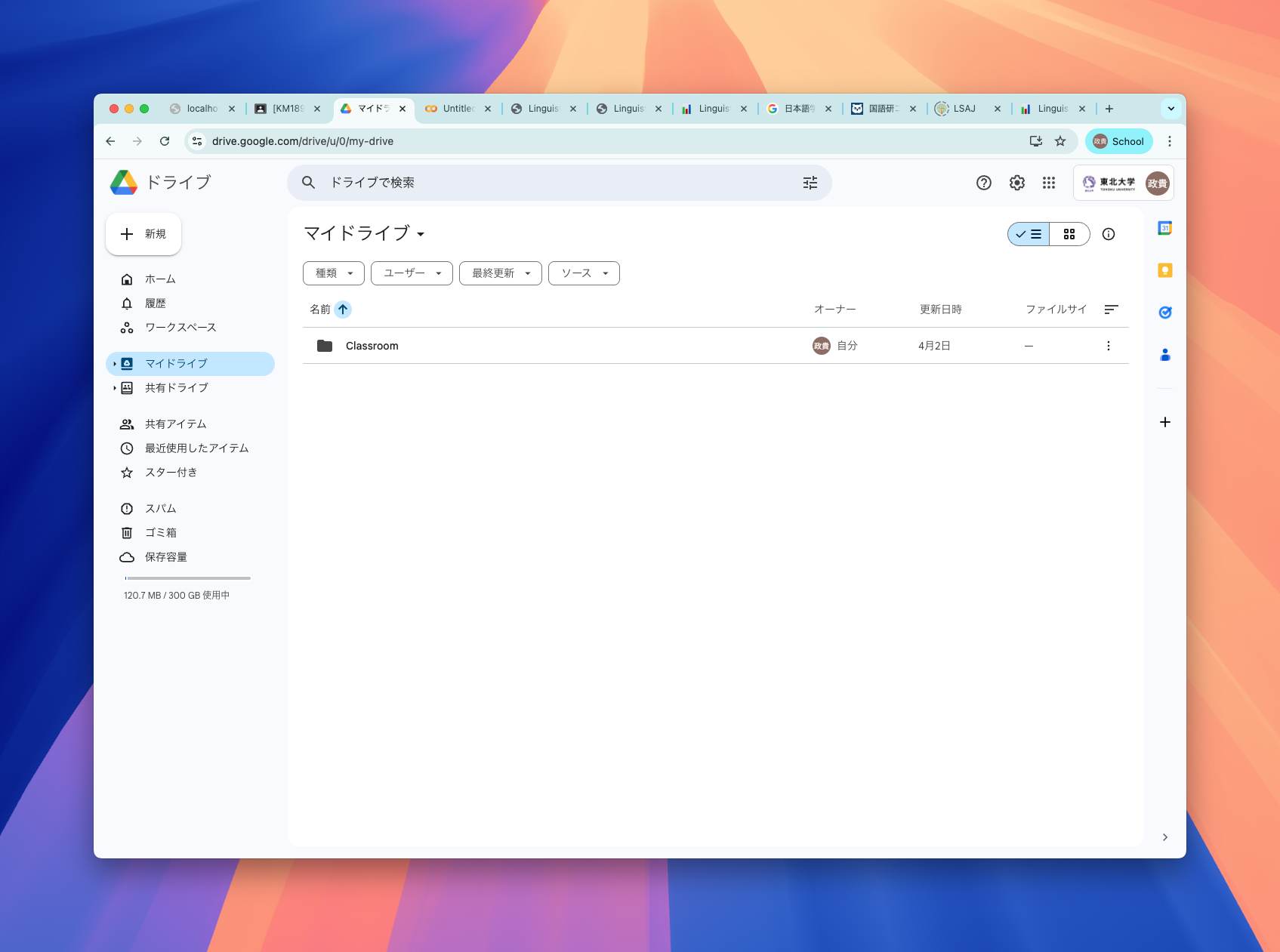
Hit new and find connect more apps
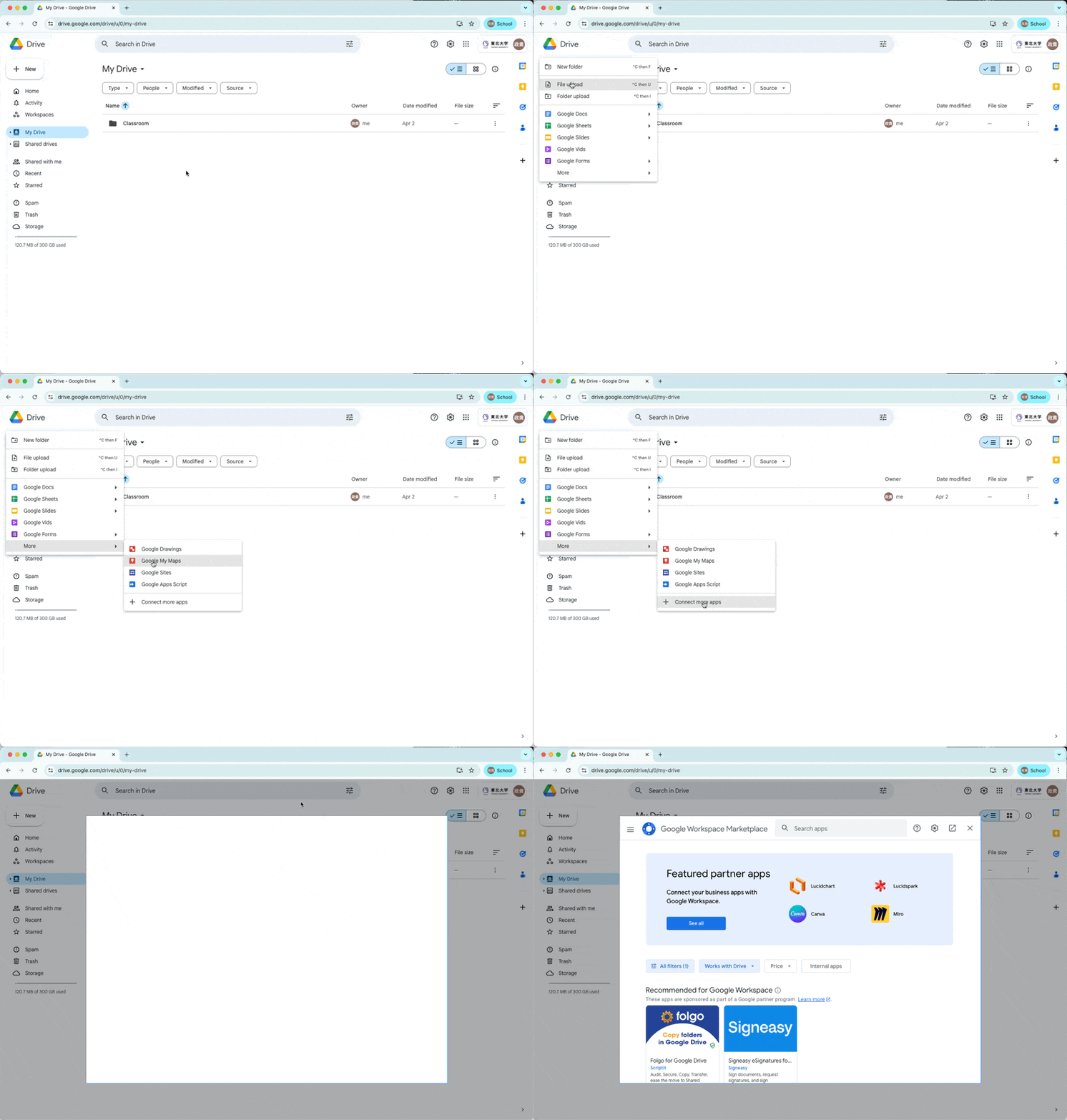
Search Colaboratory on the marketplace
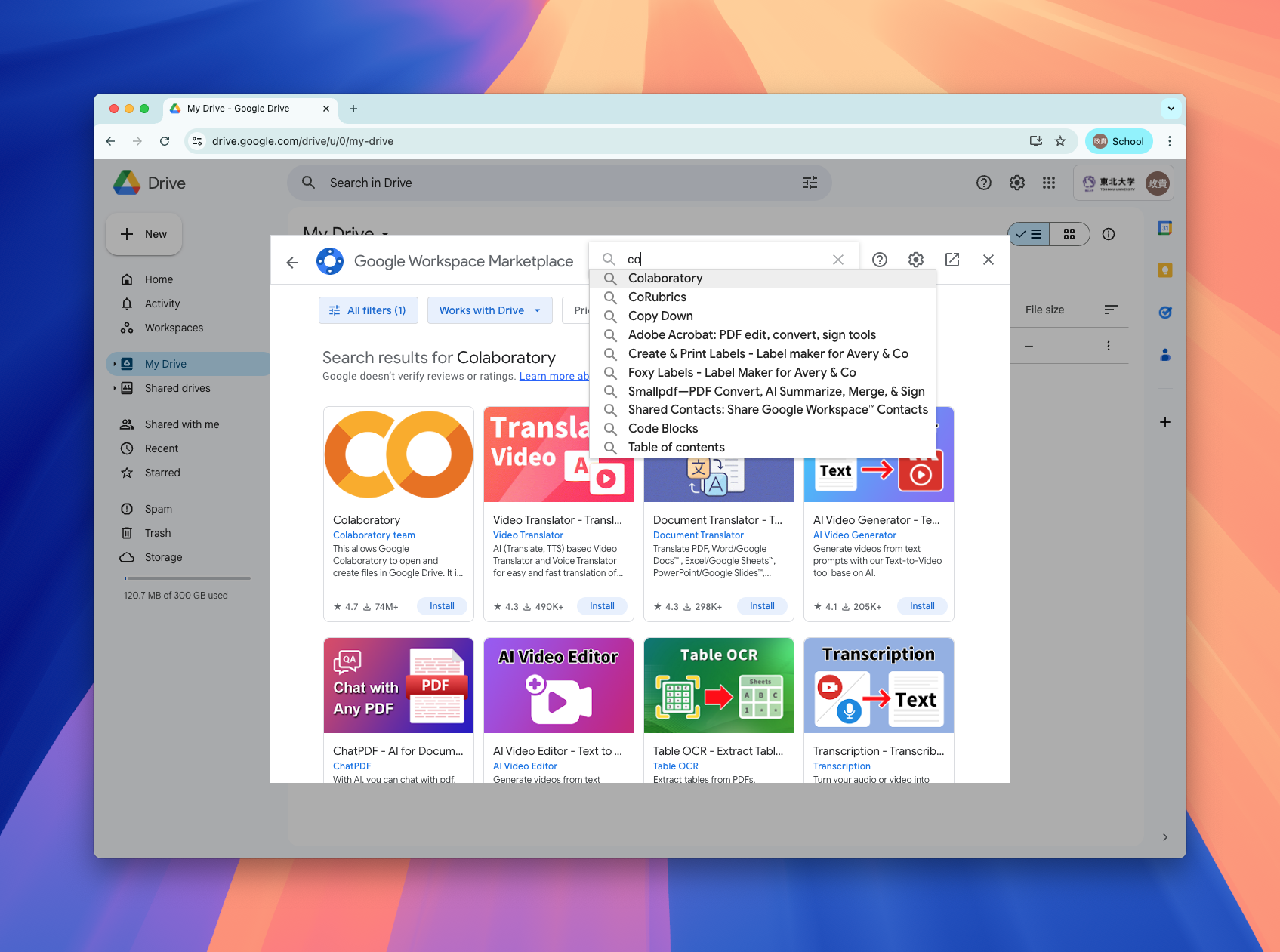
Install Colaboratory
Click on Colaboratory, and hit install button. 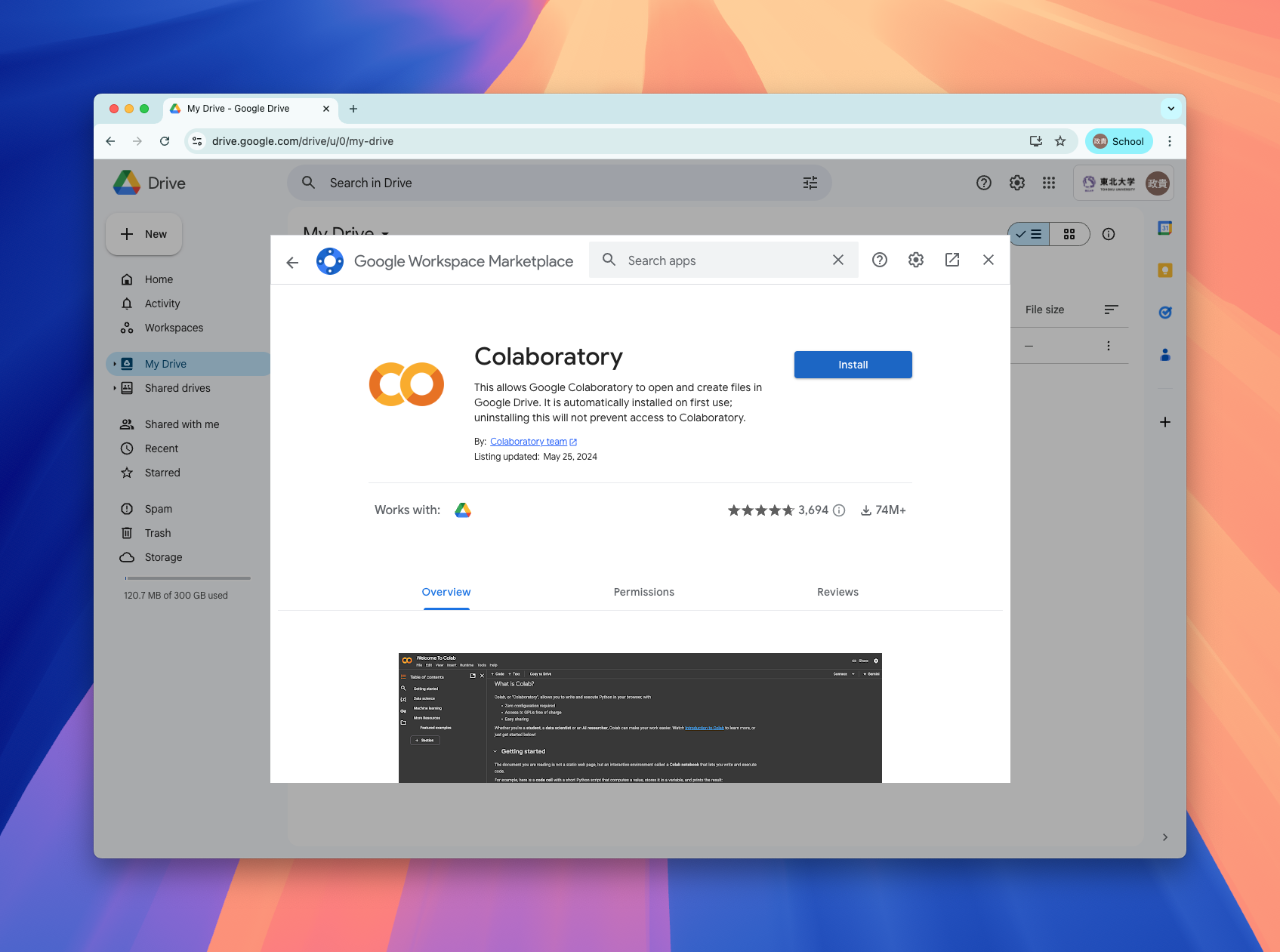
Hit continue when it prompts permission.
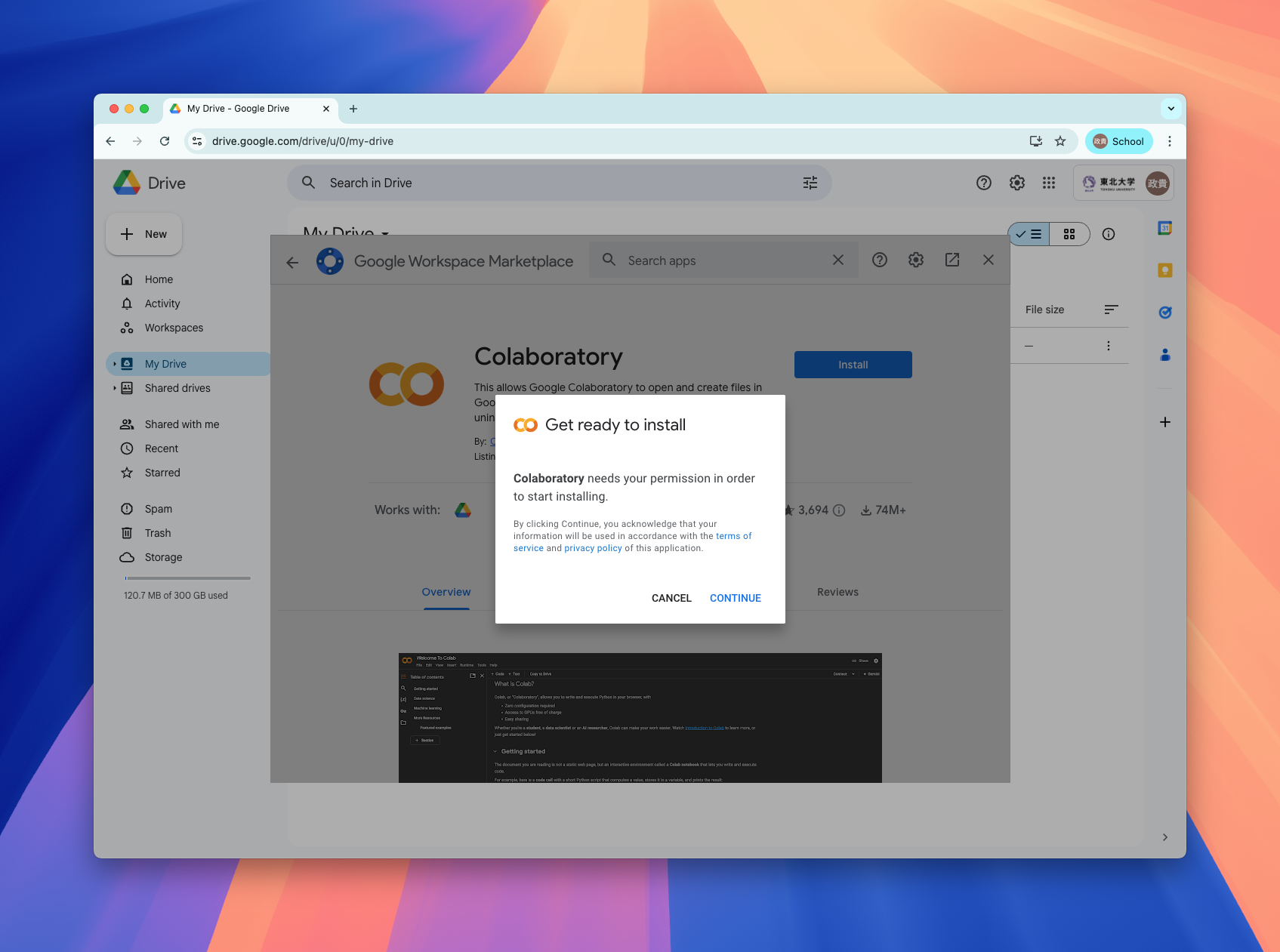
Follow the instruction of the pop-up instruction.
Installation success!!
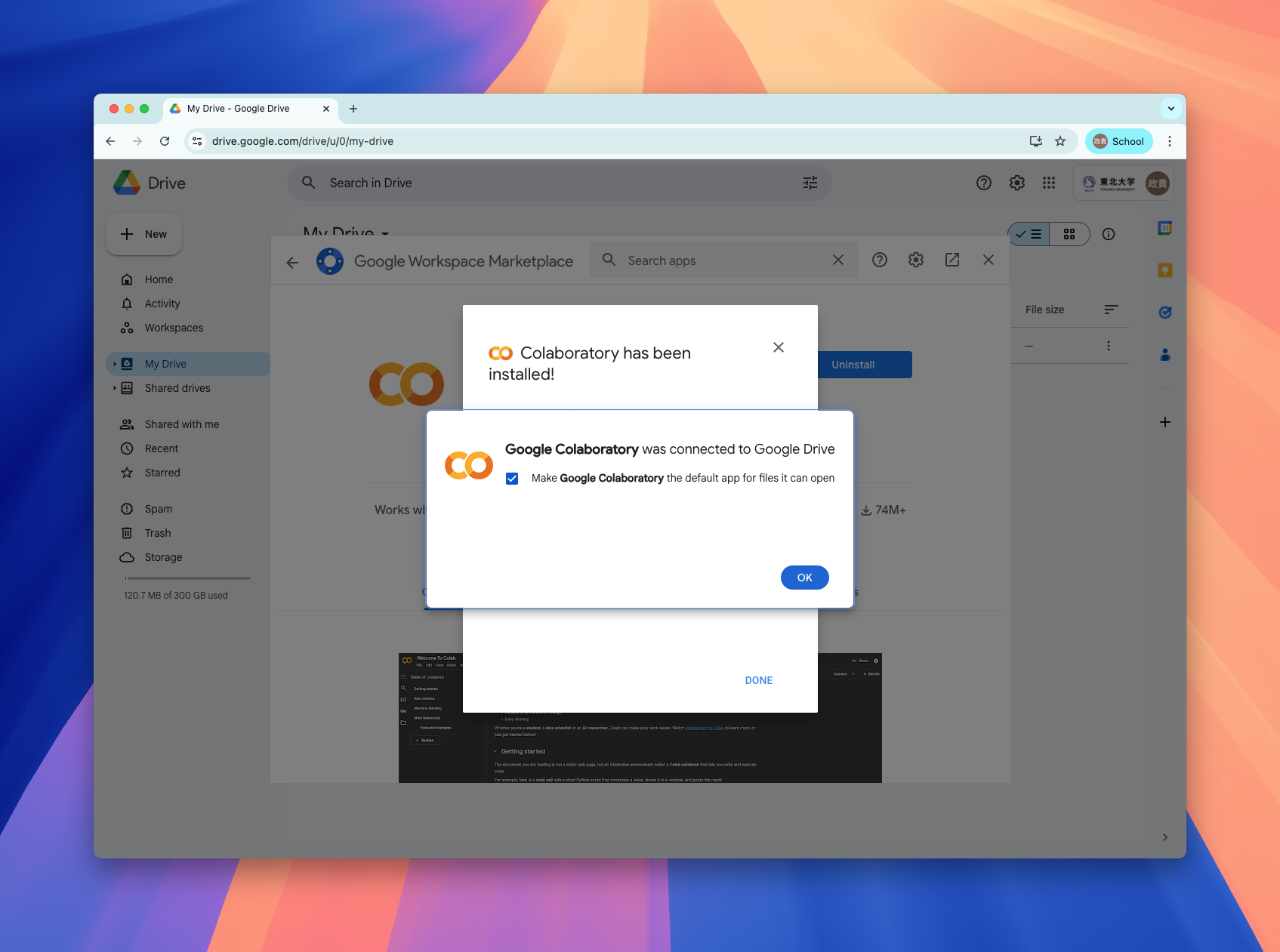
Now you can create google colab notebook from Google Drive.
Now you can create a new google colab notebook.